
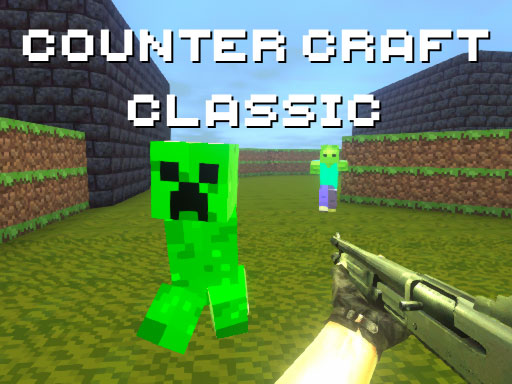
Counter Craft Classic
Counter Craft Classic is a first-person shooter that mixes a blocky Minecraft-style world with counter-strike-style combat. Your goal is to use an extensive arsenal of weapons to shoot all blocky creatures and find the exit on each level to move forward through increasingly challenging environments.
How to Play Counter Craft Classic
- Navigate the blocky, Minecraft-like levels using the WASD keys.
- Use your weapons to shoot enemies, including blocky creatures and zombies.
- Aim with the right mouse button (RMB), then fire with the left mouse button (LMB).
- Collect and switch between various weapons by changing them with the mouse wheel.
- Reload your weapons with R, use grenades G, and crouch C to stay protected.
- Jump with Space to evade enemies or obstacles.
- Use Shift to run and the mouse wheel to change weapons.
- Find the exit of each level while eliminating enemies and avoiding hazards.
- The game features ever-changing levels that require players to adapt strategies quickly during gameplay.
Controls
The game features smooth and intuitive controls. The specific control scheme is displayed at the start of the game for the best experience.
Tips for Counter Craft Classic
- Focus on timing your jumps and movements to dodge the blocky creatures and zombies effectively.
- Prioritize collecting weapons and grenades to handle different enemy types.
- Pay attention to the changing level layouts to anticipate upcoming obstacles and enemy placements.
- Use your flashlight to better spot enemies in dark or complex areas.
FAQ
You need to eliminate enemies, avoid hazards, and locate the exit that allows you to move to the next level.